
HubSpot NetSuite integration: what it connects, and what the docs leave out
The HubSpot NetSuite integration keeps your CRM and your ERP in step: contacts, companies, deals, orders and invoices in HubSpot map to companies, contacts, opportunities, sales orders and invoices in NetSuite, so sales and finance work from the same records. HubSpot ships a native integration for it. The alternatives are an integration platform or a custom build on the two APIs.
The native route is where most teams start, and its setup page is short. It says what syncs and how to connect. It doesn’t say how records are matched, how often the sync runs, or what happens to line items. Those are the answers that decide whether the sync holds up.
This is for RevOps people and NetSuite admins about to connect the two, or fixing a sync that already misbehaves. You’ll get the setup order, a map of what syncs where, four questions to answer before the first run, and a table to choose between native, iPaaS and a custom API.
How the native sync gets set up
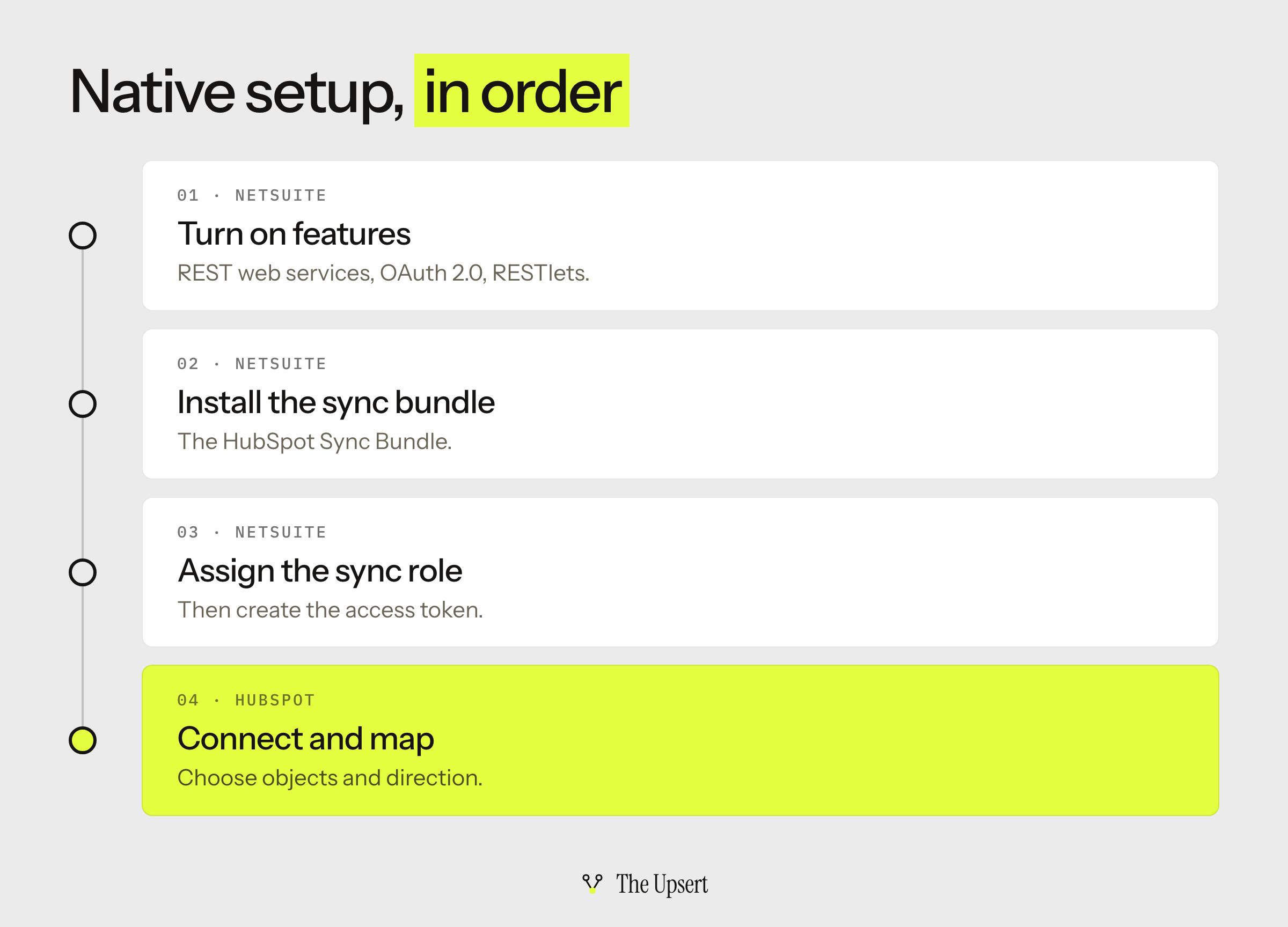
HubSpot’s page splits the work in two. A NetSuite administrator prepares the account, and someone in HubSpot with Super Admin or App Marketplace permissions connects it. In order:
- Turn on the NetSuite features it needs: REST web services, OAuth 2.0 and server-side RESTlets.
- Install the HubSpot Sync Bundle in NetSuite.
- Assign the HubSpot sync role to the connecting user, then create an access token for it.
- Connect from HubSpot and set the sync options: which objects, and which direction.
Two details matter before you start. The sync can be configured one-way or two-way, so that is a decision, not a default. And custom field mappings need a Data Hub subscription, so check your HubSpot plan if your NetSuite records carry custom fields you want to sync.
What syncs where, and what the setup page doesn’t say
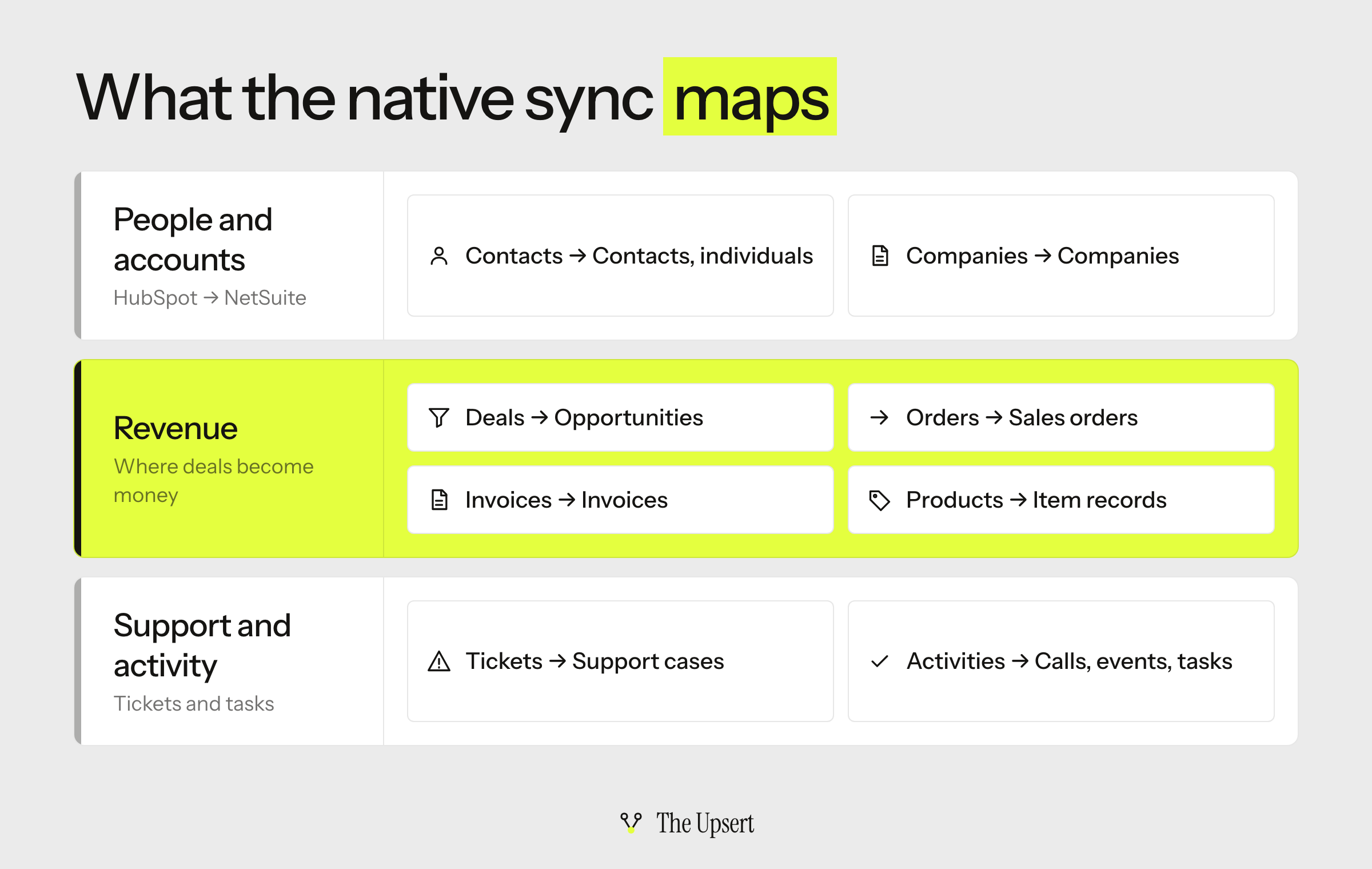
The page lists eight pairs of records: HubSpot contacts to NetSuite contacts and individuals, companies to companies, deals to opportunities, invoices to invoices, orders to sales orders, products to item records, tickets to support cases, and activities to calls, events and tasks. It also creates a NetSuite Subsidiary property on the synced objects, which matters more than it sounds (see the first question below).
The setup page is a setup guide, not a specification, so it leaves several things out. Every gap is a question to settle in a sandbox:
| Topic | On the setup page | Not on the page |
|---|---|---|
| Objects and direction | The eight pairs, one-way or two-way | Which fields each pair carries by default |
| Custom fields | Custom field mappings need Data Hub | Which of your NetSuite custom fields can be mapped |
| Record matching | Nothing | How records are paired, and what happens on a miss |
| Schedule | Nothing | How often it runs, and how fast a change appears |
| Deal line items | Deals map to opportunities, orders to sales orders | How products and line items travel with them |
| Limitations | Nothing | The cases the sync can’t handle |
Matching is the one HubSpot does explain, in its docs for data sync in general. Its record matching page says the defaults are email address for contacts, company name or domain for companies, and SKU or name for products. When nothing matches, the sync creates a new record in the other app and pairs the two IDs from then on. Name fields are normalized before comparing, so capitalization and punctuation don’t count. HubSpot suggests filters in the Limit section of the sync to prevent duplicates. Treat that as the model to test for your NetSuite sync, not as a promise about it.
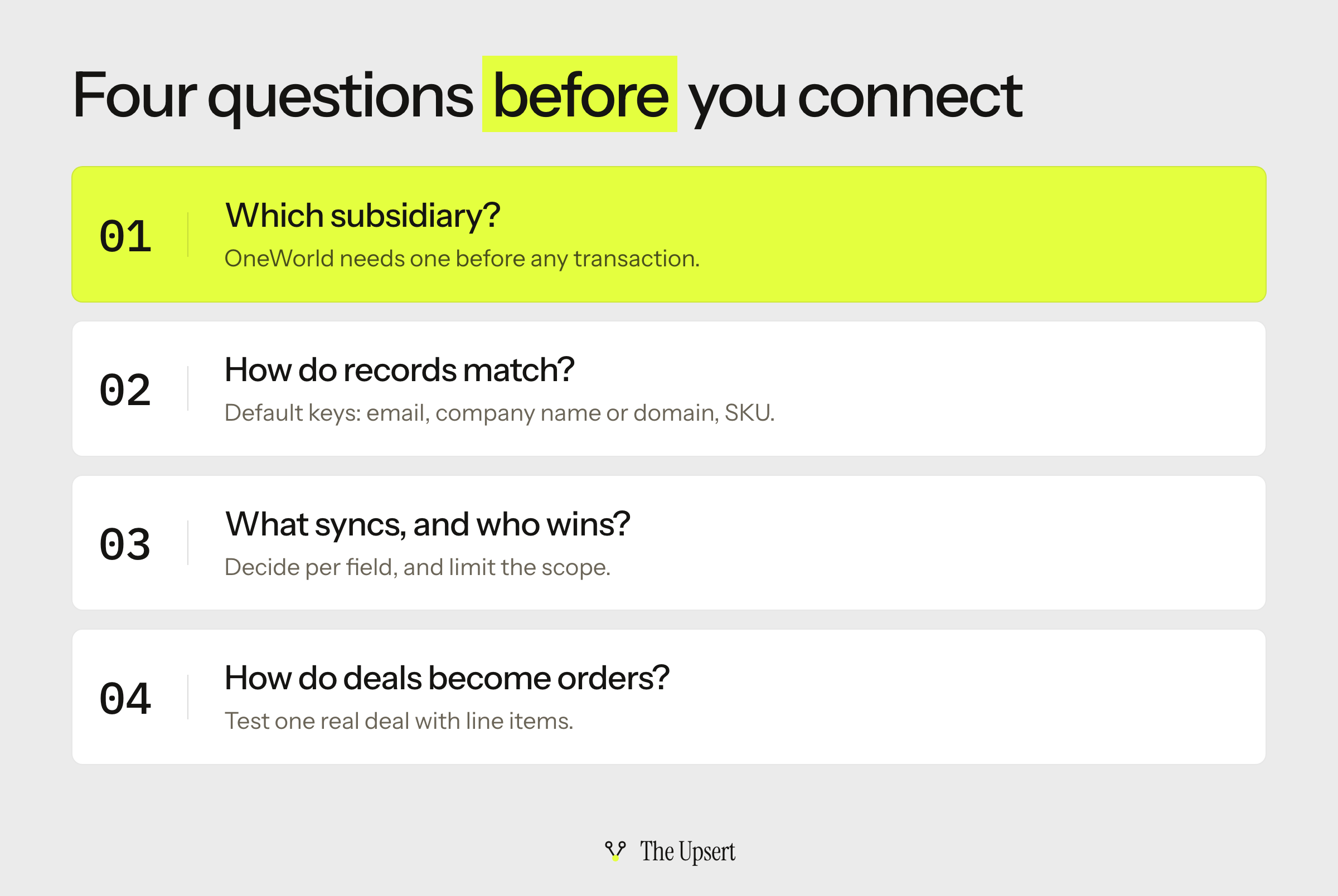
Four questions to answer before the first sync
Which NetSuite subsidiary does each company belong to?
In NetSuite OneWorld, each customer record needs a subsidiary before you can enter transactions for it. A transaction takes its subsidiary from the customer, and after one is posted you can’t change the customer’s primary subsidiary. That’s why HubSpot adds the NetSuite Subsidiary property. Decide who fills it (sales at handoff, or finance) and make sure no company reaches NetSuite without one. If you don’t run OneWorld, skip this question.
How will records match?
Pick the key on purpose. Names and email addresses change; a stable ID doesn’t. If you can store the NetSuite record’s external ID on the HubSpot side, or the HubSpot ID on the NetSuite side, you can match on something that never gets edited. It is the same rule as one writer per field, applied to identity.
What syncs, and who wins a conflict?
HubSpot’s docs say that field mappings decide which data syncs, in which direction, and how conflicts are handled. Set that per field. A two-way sync where both systems can edit the customer’s billing address will overwrite someone’s change on every run. Then limit the scope: teams often want only some customers in the sync, and filters are the way to say so.
How do deals become orders?
The page maps deals to opportunities and orders to sales orders. Line items are the hard part: HubSpot’s API treats a line item as belonging to one parent object, so a deal and a quote each have their own set. NetSuite adds its own layer, because transaction forms can be customized, and teams that use custom forms ask which form a sync uses. Run one real deal, with real line items and your real form, from HubSpot to a NetSuite sales order before you trust the path.
Native, iPaaS or custom API: how to choose
| Approach | Choose it when | You still own | Watch for |
|---|---|---|---|
| Native sync | Standard objects, no custom logic, a small team | Subsidiary, matching and field ownership; testing the deal-to-order path | The gaps above; custom field mappings need Data Hub |
| iPaaS | Custom fields or logic without engineers, or more than two systems | Mappings, monitoring and the error queue | How usage is billed; price it at your real record counts |
| Custom API | Unusual logic and engineers who will maintain it | Everything: ordering, retries, alerts, upgrades | The person who wrote it leaving; API limits |
An integration platform as a service gives you templates, visual mapping and error handling in one place, and it connects more than two systems. It is the usual answer when you have custom fields and no developers. For NetSuite specifically, the NetSuite Integration Platform vs iPaaS guide compares Oracle’s own platform with a general-purpose iPaaS.
A custom build gives you full control and full ownership. Two facts about the APIs. HubSpot enforces both daily and short-burst limits, so batch your writes. And on the NetSuite side, Oracle says that from 2027.1 no new token-based integrations can be created for SOAP web services, REST web services or RESTlets, and existing ones keep working. For anything new, start with OAuth 2.0.
My default is the native sync first, in a sandbox, and a move to an iPaaS only when a real case fails.
Where a HubSpot–NetSuite sync breaks
These show up whichever route you pick. The wider list is in the CRM–ERP integration guide.
Duplicate customers
In HubSpot’s matching model, when the key differs between the two systems the sync creates a new record instead of updating one. Two customers appear, and finance can invoice the wrong one. Fix the key before you sync, not after.
A customer with no subsidiary
In OneWorld a customer without a subsidiary can’t have transactions. If the HubSpot side can leave that property blank, the order has no valid subsidiary to land in. Make sure that failure is visible to someone.
Deals that arrive without their line items
Check that line items arrive with the order and not only with the deal. If they don’t, the order will be empty or wrong.
Two-way overwrites
Both apps edit the same field, and the conflict setting quietly picks a winner on every run. Make each field read-only in the system that doesn’t own it.
Silent failures
The sync says it ran, and a record is missing. Keep an error queue someone reads, and compare closed-won deals in HubSpot with sales orders created in NetSuite every week.
Before you turn the sync on: a checklist
- Every synced company gets a NetSuite subsidiary, and someone owns filling it.
- Records match on an ID that doesn’t change, not on names.
- Each field has one owner, and the other system’s copy is read-only.
- The sync is limited to the records you actually want in NetSuite.
- One real deal, with line items and your real form, became a correct sales order in a sandbox.
- You know your HubSpot plan covers the custom field mappings you need.
- Failed records land in a queue and someone is alerted.
- Someone specific owns the integration after launch, and it’s written down.
Start with one object
Connect a NetSuite sandbox. Turn on one object, companies, filtered to a handful of test records. Check the matches, the subsidiaries and the duplicates. Then add deals, then orders. Every question in this guide gets its answer in that order, and none of them costs you a real customer.
Frequently asked questions
Does HubSpot integrate with NetSuite?
Yes. HubSpot documents a native integration that syncs contacts, companies, deals, invoices, orders, products, tickets and activities. It can be set up one-way or two-way. HubSpot lists it as available with all products and plans, except where noted, and custom field mappings need a Data Hub subscription.
What CRM integrates with NetSuite?
Several do. HubSpot has the native integration described above, and NetSuite publishes its own Salesforce connector, covered in the Salesforce NetSuite integration guide. Any CRM with an API can also be connected through an integration platform or a custom build.
How much does the HubSpot NetSuite integration cost?
HubSpot’s setup page lists the native integration as available with all products and plans. The costs to plan for are the Data Hub subscription if you need custom field mappings, and your own time to configure and test it. Third-party platforms and custom builds vary, so ask for pricing at your real record counts.
What is the NetSuite connector?
In this context it’s the piece that lets HubSpot talk to NetSuite. For the native route, that means the HubSpot Sync Bundle installed in NetSuite, plus the sync role and access token it uses. Other connectors are prebuilt links published by a vendor or a partner.
What API integrations does NetSuite offer?
NetSuite offers SOAP web services, REST web services and RESTlets for integrations. OAuth 2.0 works with REST web services, RESTlets and SuiteAnalytics Connect. For new REST and RESTlet integrations Oracle recommends OAuth 2.0.
Does HubSpot have an API?
Yes. HubSpot’s CRM API covers deals, line items, products and the associations between them, and it enforces usage limits per account. That is what a custom HubSpot–NetSuite build uses on the HubSpot side.